Your shop can hold years of work: revised printables, carefully written descriptions, preview images and packs you have added to over time. Bringing it all together is a useful first step, whether you are moving completely or opening a website alongside it.
Give yourself time to do this before removing listings or closing an account. A well-organised copy of your work makes the next stage much easier.
1. Start with the resources themselves
Check that the files on your computer match the versions customers can buy. Keep the originals and the files you sell in separate folders, so editable work is not accidentally offered as a download.
Files worth keeping
- The current customer download for each resource
- Editable originals, such as Word or PowerPoint files
- Preview pages, cover images and any videos you created
- A list of what belongs in each pack or bundle
- Notes about fonts, illustrations and other assets used in the resources
2. Save the details around each resource
Your descriptions help teachers decide whether a resource will suit their class. Keep the wording you have written, along with prices, age ranges, subjects, file formats and useful classroom notes.
A spreadsheet with one row per resource can help you see what is complete and what needs a refresh. Include the existing product link so you know where customers may still find it.
3. Keep a copy of your business records
Save available sales and payout reports, along with the records you use for your accounts. Your own history can show which resources sell consistently and which collections matter most at different times of year.
Check your current seller account for the reports you can download. Menus and export options can change, so confirm what is available before planning the move around it.
4. Plan how customers will find you again
A marketplace following does not automatically become a customer list on your new website. Check which records you can take and what you have permission to use. Do the same for reviews and other people’s words before publishing them elsewhere.
You can help people find your new home through the channels you already manage, such as your newsletter, blog and social accounts. A useful free sample can give visitors a reason to explore, with a separate, clear choice about receiving future emails.
Before changing marketplace listings or adding links to them, check the current seller rules. Your existing customers may still rely on those pages to access earlier purchases.
5. Questions to work through
Do I have to close my TPT shop?
Opening your own website does not have to mean closing another shop immediately. Consider existing customers and check the platform’s current terms before deciding.
Can I move customer accounts and reviews?
Check what records are available and what you are allowed to reuse. We can help you work out how customer access and reviews could be handled on your own website.
Can I use the same files on my own website?
Check the rights and licences for everything in your resources, including fonts and illustrations, and any selling terms that apply to your existing shop.
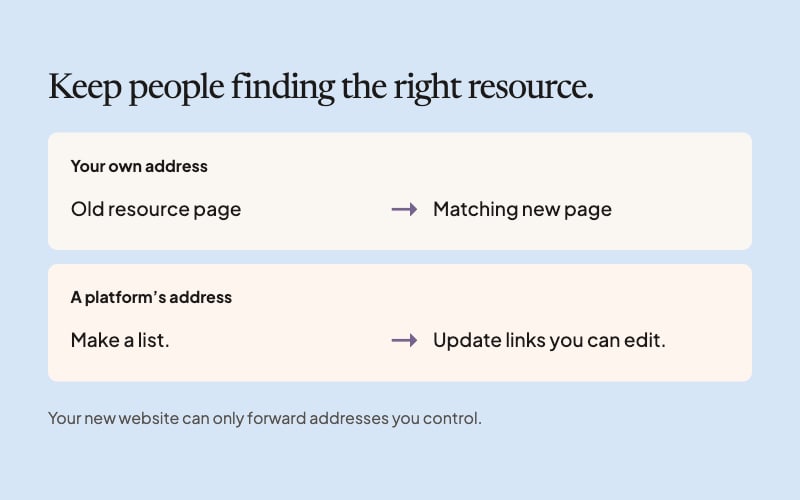
When your files and records are together, our guide to old links can help you plan what happens to the pages people have saved.