If you have shared resources for years, links to your work can be scattered across Pinterest, blogs, social posts and customers’ saved emails. Those links are part of the business you have built, so it makes sense to plan for them before moving.
Some can lead straight to your new pages. Others need a different approach. The main question is whose website address they use.
1. Find the links that matter most
Start with the places you know customers use: your social profile, popular pins, blog posts and newsletter links. Add product pages people regularly ask about and any pages linked from schools, clubs or other websites.
You do not need to find every mention of your work before getting started. A list of your product pages and the main places you share them gives you a useful plan.
2. Give old pages a forwarding address
A redirect is simply a forwarding address for a web page. Someone follows an old link and arrives at the matching page on your new website.
Ask the person managing the move to match resources carefully. A link to a phonics pack or a drawing guide should lead to that download, rather than leaving someone to search from the home page. Forwarding can also help search engines understand that a page has moved, although search results may change around a launch.
3. Check whose address the link uses
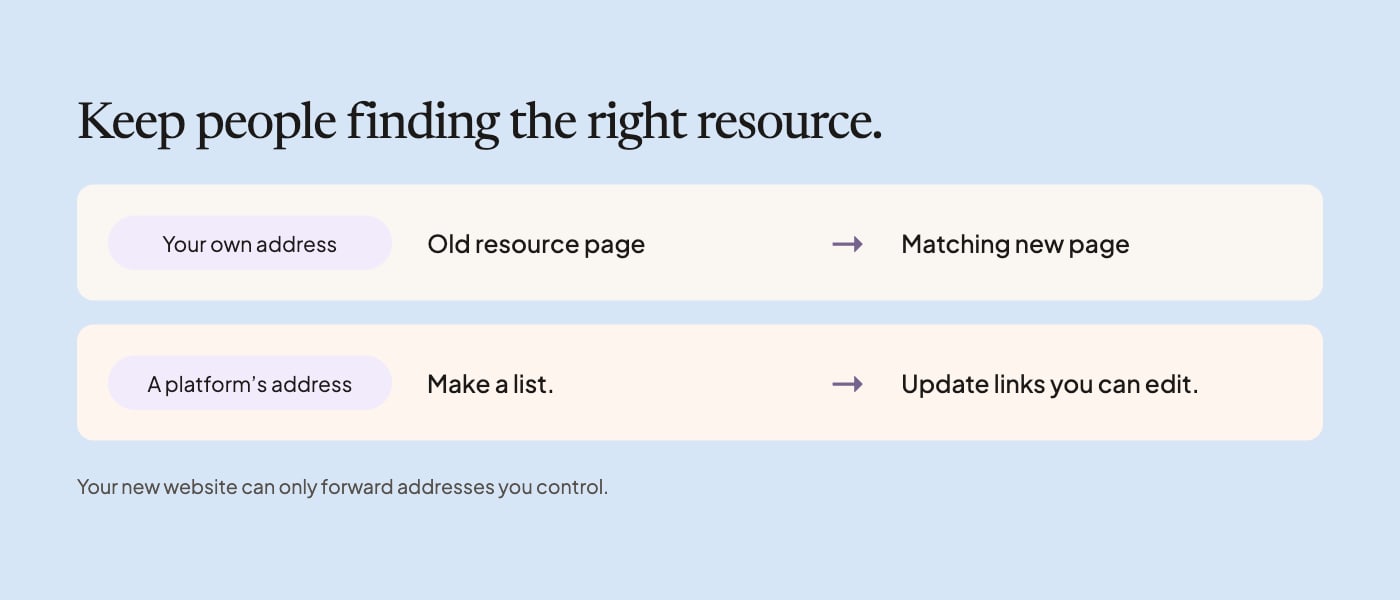
Your own website address: if the old shop uses a domain you control, such as shop.yourname.co.uk, the move can usually include forwarding those old pages. Agree the list and test it before launch.
A platform’s address: a link beginning payhip.com, tes.com or teacherspayteachers.com is controlled by that platform. Your new website cannot decide where that old address leads.
- Update links you can edit, including your own blog, profile and recent pins.
- Check the platform’s current rules before adding a notice or link to old listings.
- Consider existing buyers before removing pages they may still use for past purchases.
- Use your own website address in new posts and resources where appropriate.
4. Keep a simple list for the move
Use two columns: the old page and the matching new page. Add a note showing whether you can forward the old address or need to update the link yourself.
Pages to include
- Individual resource and pack pages
- Membership, sample and collection pages
- Your about page and useful blog posts
- Pages linked from popular pins or newsletters
- A suitable destination for resources you no longer sell
After the move, try a selection of links from the places customers actually use. Keep the forwarding arrangements in place as long as they are helpful, and include them in the website’s ongoing care.
5. A few common questions
Can my new website forward a Payhip or Tes address?
It cannot control an address belonging to another platform. Links using a domain you control can usually be forwarded as part of the move.
Will my search results stay exactly the same?
No one can promise that. Carefully matched pages and forwarding help search engines understand the move, but rankings can change.
Do I need to update every old post?
Start with important links you can edit, especially those people still use. Agree a manageable plan for older links and keep your own new links consistent.